Sustain
July 9, 2026
· 4 min read
AI Review: mark up your album, let AI fix it
Polishing a big album used to mean holding every little issue in your head and firing off chat fixes one at a time — “make this bigger,” “swap that photo,” “fix this caption.” On a 90-page book, that gets exhausting fast.
AI Review flips it around: you mark up your album like you’d mark up a draft, submit all your notes at once, and Sustain’s AI comes back with concrete fixes you approve — or skip — one by one.
What it is
AI Review adds a review mode to the editor. Turn it on and you can pin callout notes directly onto a photo, a page, or a whole chapter — right where the issue is. Your notes collect into a queue, and when you’re ready you hit Submit reviews.
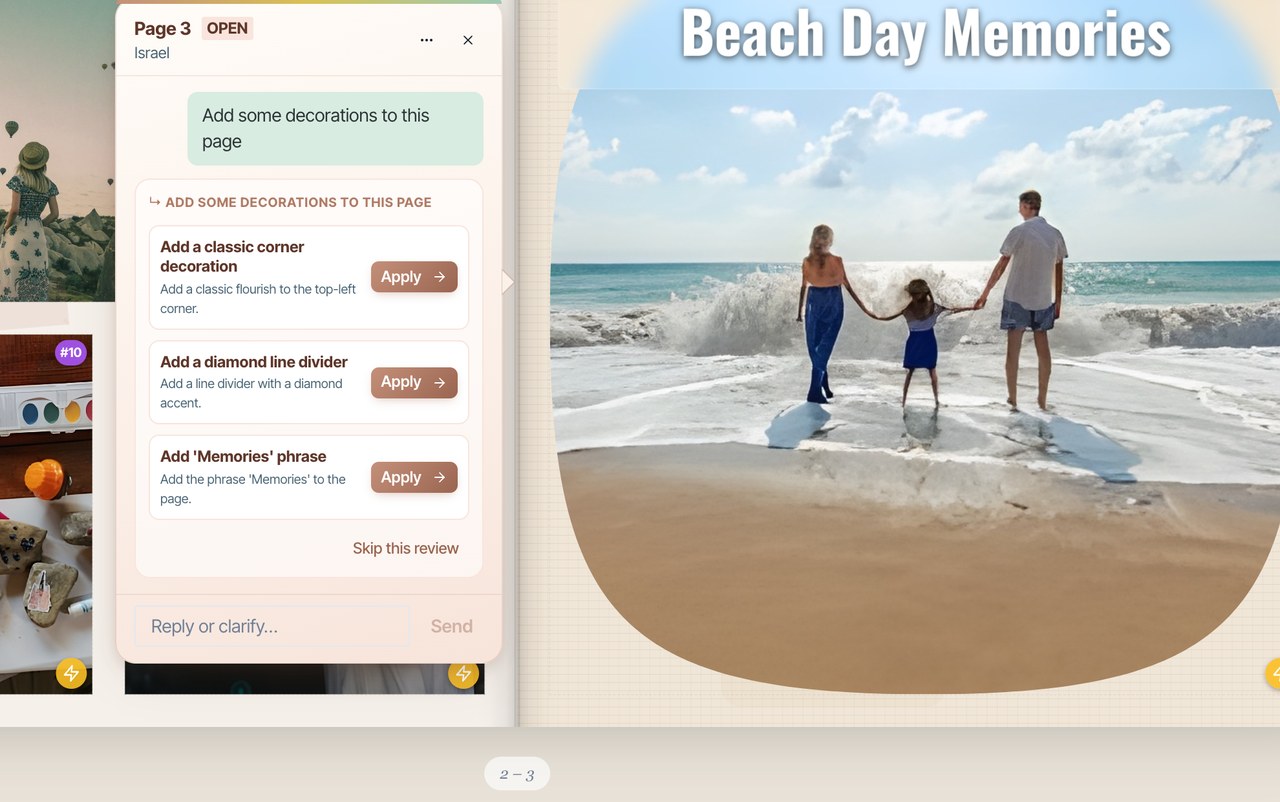
Sustain then works through each note and proposes two or three specific fixes for it, shown as preview cards both on the note and in the chat. You approve, skip, or dismiss each one — nothing changes without your say-so.
How to use it
Turn on review mode
Open your album and switch on Review from the top bar.
Drop your notes
Click a photo, page, or chapter and leave a comment — “this one’s blurry,” “make the title bigger,” “too many photos here.” Add as many as you like; they queue up in the chat.

Submit them together
Press Submit reviews and Sustain works through every note, posting a summary in the chat with a fix ready to resolve for each one.

Approve the fixes
Each note gets a few proposed fixes as cards — pick one and Apply, skip it, or reply to go back and forth with the AI on that specific note. Sensitive changes ask for your confirmation first.

Why it helps
Instead of remembering and dispatching fixes one at a time, you review the whole album in one pass — the way an editor marks up a manuscript. It scales to books with dozens of pages.
You’re always in control
AI Review never blind-edits your album. Every change is a proposal you approve, and anything significant asks for explicit consent before it’s applied — so the AI helps you move faster without taking the wheel.
Frequently asked questions
Ready to try it?
Open your album